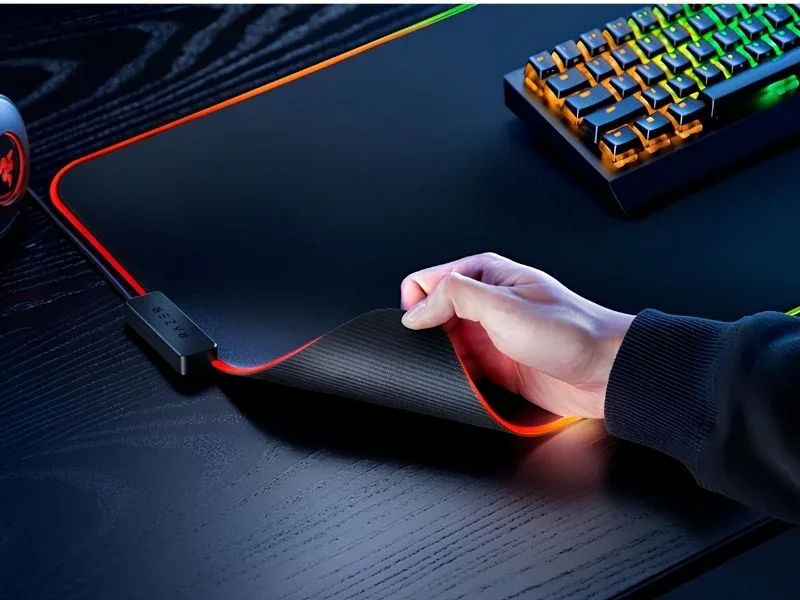
A mousepad may look like a small desk accessory, but it can change how a setup feels every day. For readers of webparsab.net, the right mousepad is worth thinking about because it affects comfort, control, desk organization, and even the look of a workspace.
Modern mousepads are no longer just thin rectangles placed under a mouse. Mighty Setup highlights a wide selection of designs, colors, sizes, and premium surfaces, including options made for both work and gaming. That variety is useful, but it also means buyers should understand what makes one mousepad better than another.
Why a Mousepad Still Matters
Many people use optical or laser mice directly on a desk and assume a mousepad is optional. While a mouse can work on many surfaces, it may not perform consistently. Glossy, rough, dusty, or uneven desks can affect tracking. A good mousepad creates a predictable surface that helps the sensor read movement more accurately.
Comfort is another reason. A desk surface can feel cold, hard, or irritating during long work sessions. A soft or textured pad gives the wrist and hand a more pleasant place to rest. For people who spend hours writing, designing, editing, browsing, or gaming, that small comfort improvement adds up.
Size and Desk Layout
The first decision is size. A small mousepad is easy to fit on a crowded desk, but it limits movement. A medium pad gives more room for everyday use. A large deskmat can hold the keyboard and mouse together, creating a cleaner surface and a more unified setup.
Gamers often prefer larger pads because low mouse sensitivity requires more arm movement. Designers and office users may also enjoy the extra space because it prevents the mouse from sliding off the edge during broad movements. A deskmat can also protect the desk from scratches and marks.
Surface Speed and Control
Mousepads vary in how they feel. Some surfaces are designed for speed, letting the mouse glide with minimal resistance. Others provide more control, making it easier to stop precisely. Neither option is automatically better; the right choice depends on the user.
Fast surfaces can suit gamers who rely on quick flicks and wide movements. More controlled surfaces can help with accuracy in design work, editing, or strategy games. For general use, a balanced surface is often the easiest choice.
Read Also: The Benefits of Smart Technology in Manufacturing Industries
Material and Durability
Material affects comfort, cleaning, and lifespan. Cloth pads are common because they feel soft and offer good control. Felt pads can give a warmer, more premium desk feel. Leather or PU leather options can look professional and are often easy to wipe clean. Hard surfaces may feel faster but can be less comfortable for long sessions.
Durability depends on stitching, base grip, surface quality, and cleaning habits. A non-slip rubber base helps keep the pad stable. Stitched edges can reduce fraying. Easy-to-clean materials are useful for anyone who eats or drinks near the desk.
Design and Setup Style
A mousepad is also a visual part of the workspace. Minimal black or gray pads create a clean professional look. Artwork, fantasy themes, gaming designs, and colorful deskmat prints can make a setup feel more personal. Since the pad often occupies a large part of the desk, its design can set the tone for the whole space.
The best choice balances appearance with function. A beautiful pad that tracks poorly will become frustrating. A high-performance pad that clashes with the setup may not feel satisfying. The ideal option does both well.
Conclusion
Choosing the right mousepad means thinking about size, surface feel, material, durability, and style. A good pad improves tracking, protects the desk, supports comfort, and helps the workspace feel finished. Whether someone is building a gaming station or a cleaner work desk, the right mousepad is a small upgrade with a noticeable daily impact.
